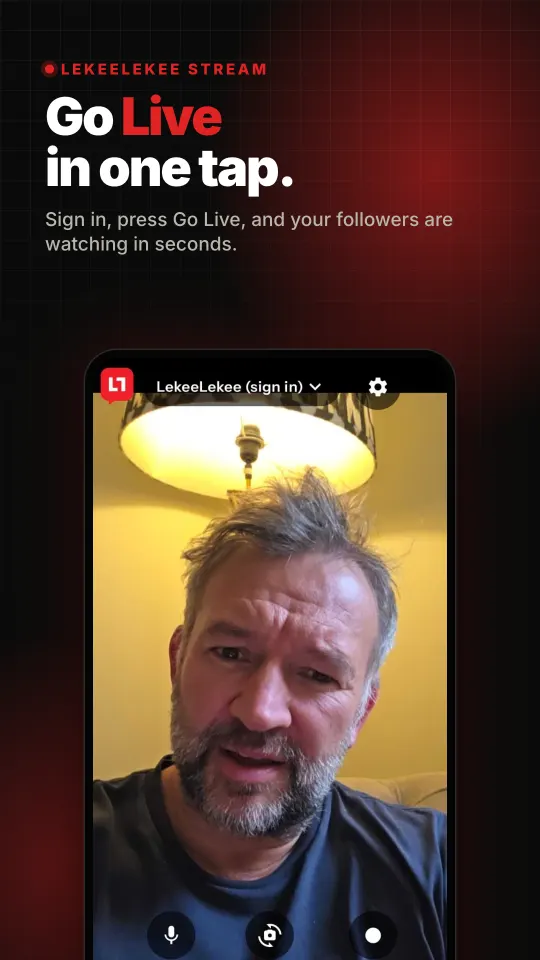
Go Live anywhere, from your phone.
A free live streaming app with a pro encoder inside. One tap puts you live on LekeeLekee. Add a stream key and the same app streams to YouTube, Facebook, Twitch or any server you choose, several at once.
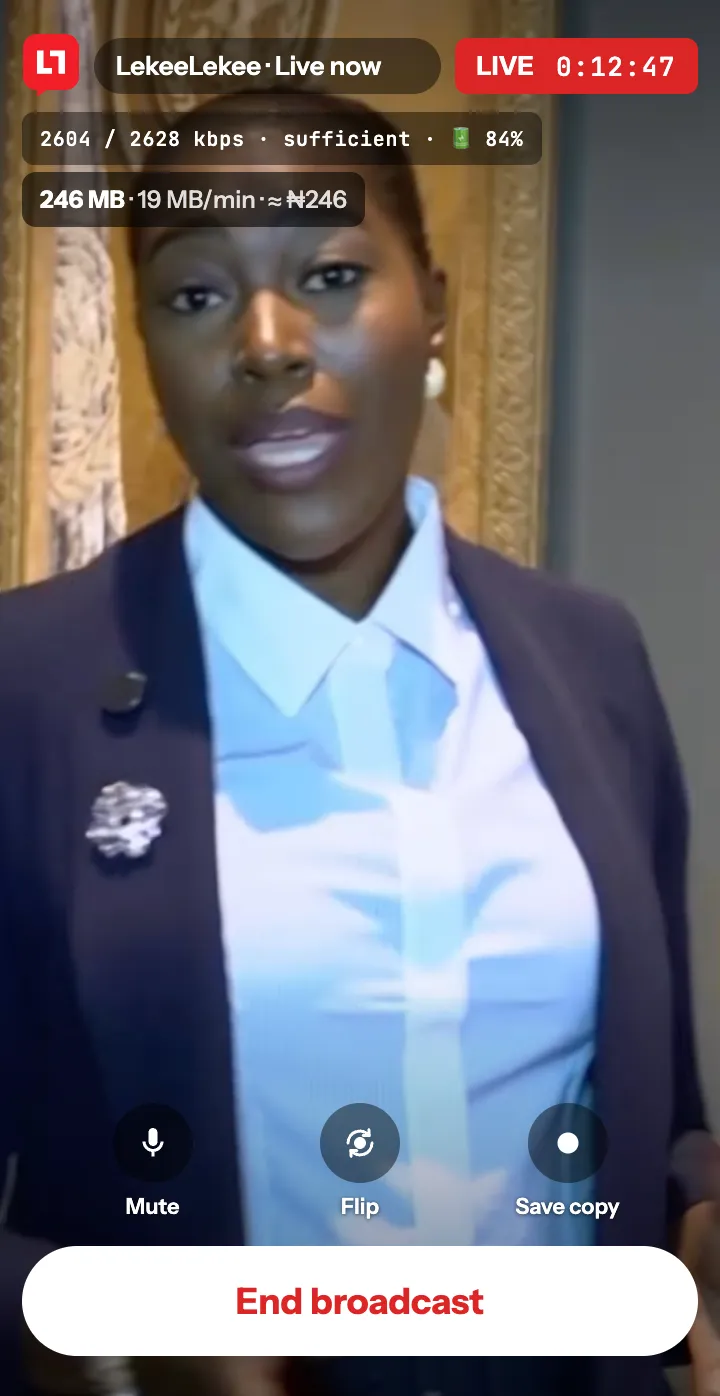
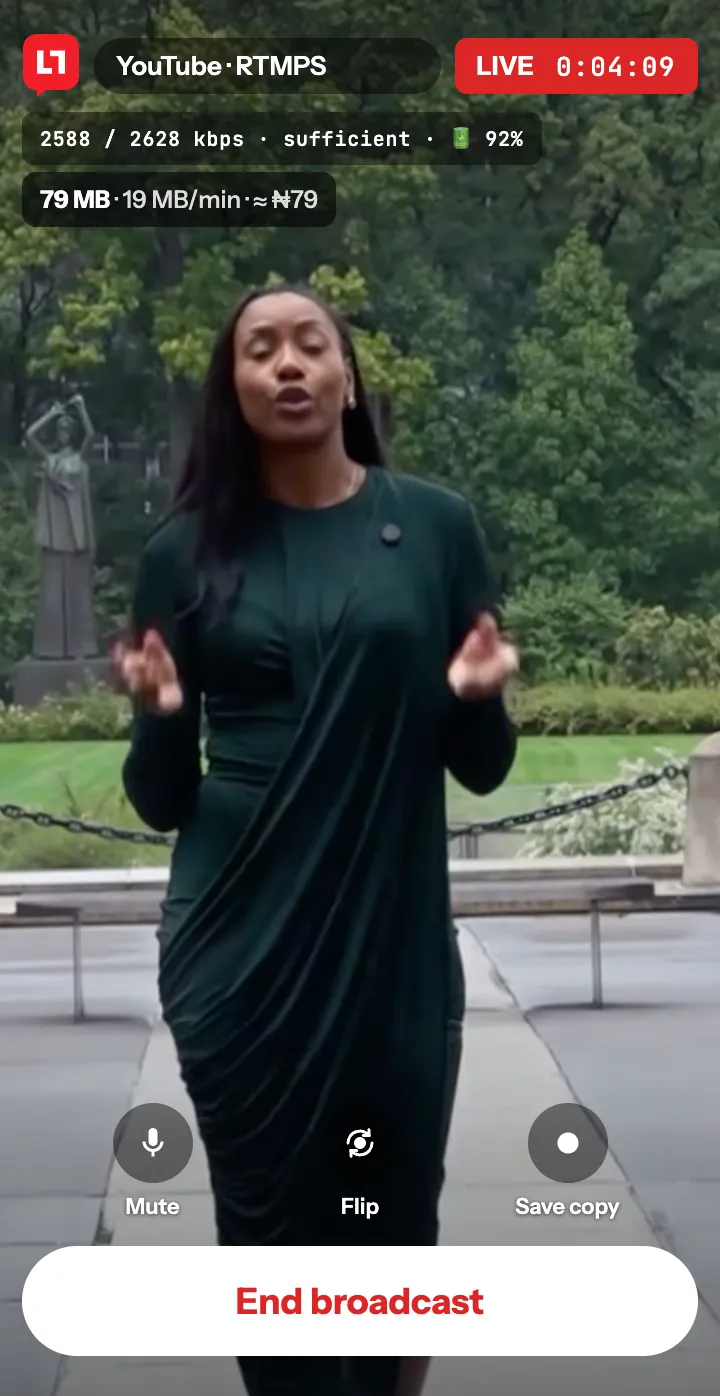
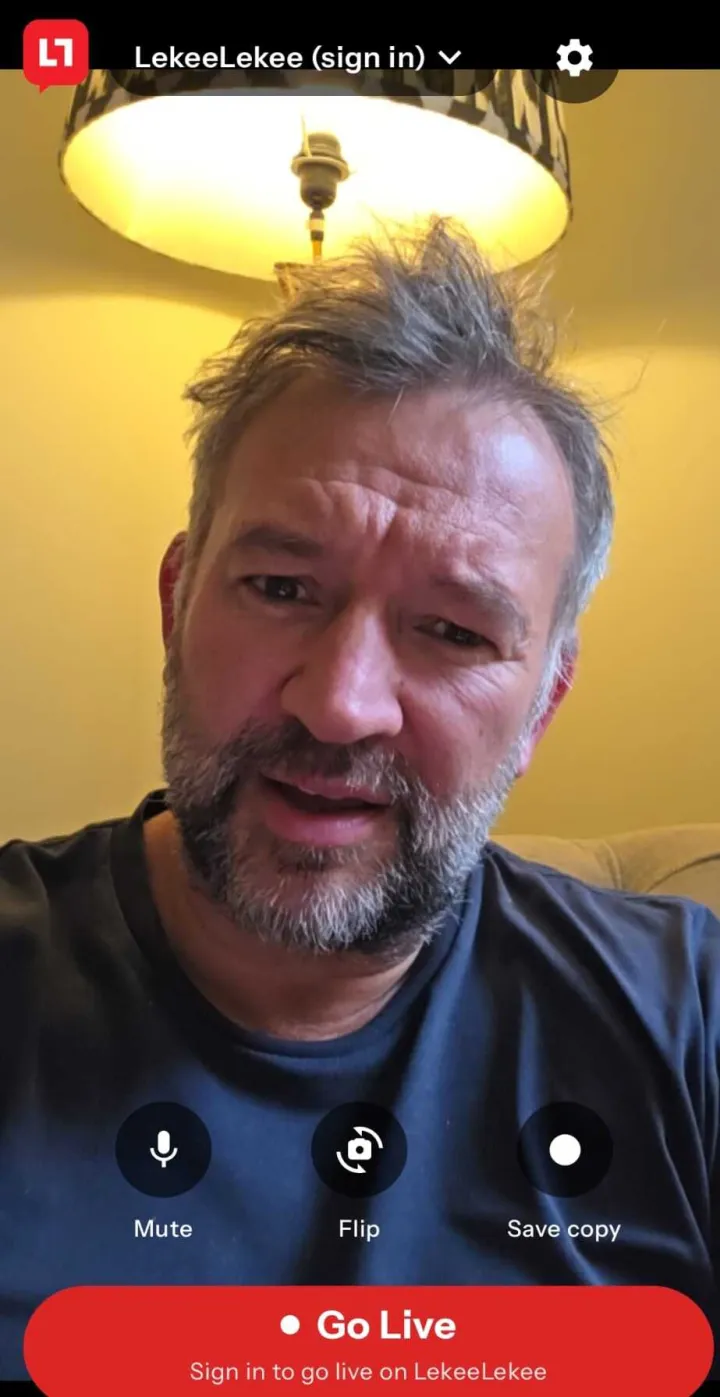
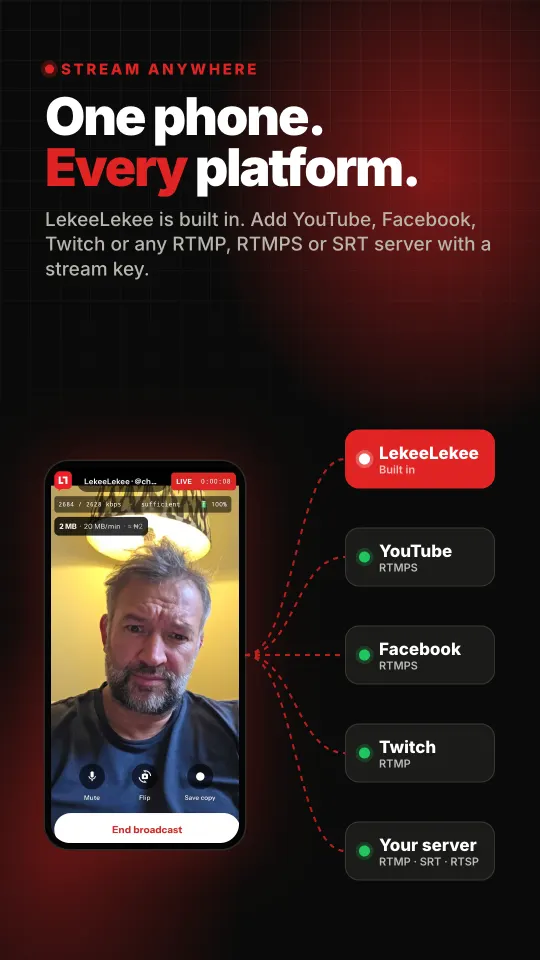
One phone. Every platform.
LekeeLekee is built in, so there is nothing to set up. For anywhere else, paste the server address and stream key your platform gives you, save it once, and it sits in your list for next time.
- LekeeLekeeSign in and press Go Live. Your broadcast appears in your followers feeds as a live post and saves as a replay.Built in
- YouTubeGo live on your channel from YouTube Studio with your phone as the camera.RTMP · RTMPS
- FacebookStream to your profile, page or group using the stream key from Live Producer.RTMPS
- TwitchGo live on your Twitch channel straight from the camera, no laptop needed.RTMP
- Your own serverChurch media servers, OBS, vMix, Wowza, restreaming services, anything that takes a feed.RTMP · RTMPS · SRT · RTSP
More than a camera now.
Added since the first version, and in the app today.
Several places at once
Go live on LekeeLekee, YouTube, Facebook and your own server at the same moment, from one phone.
Share your screen
Stream what is on your phone, or just one app, with your face in a corner box. Floating controls stay on top so you can stop, mute or switch to the camera without leaving what you are showing.
See your audience
Viewers’ comments appear on screen while you are live, with the viewer count and a line when someone starts watching. Clear the screen with one tap when you want a clean view.
Audio only
Go live with sound and no picture: a talk, a sermon or a radio-style show, for a fraction of the data.
Cost in your currency
Tell the app what you pay per megabyte, in any currency, and the meter shows what the stream is costing you as it runs.
Quicker to start
Sign in with Google, a countdown before you go live so you are ready, and a Share link button to bring people in.
Live in three taps.
Install and sign in
Get LekeeLekee Stream from Google Play and sign in with your LekeeLekee account. Streaming only to your own server? Skip sign in completely.
Choose where
LekeeLekee is ready from the start. Tap the destination at the top to switch to YouTube, Facebook or a server you have added, or pick more than one.
Press Go Live
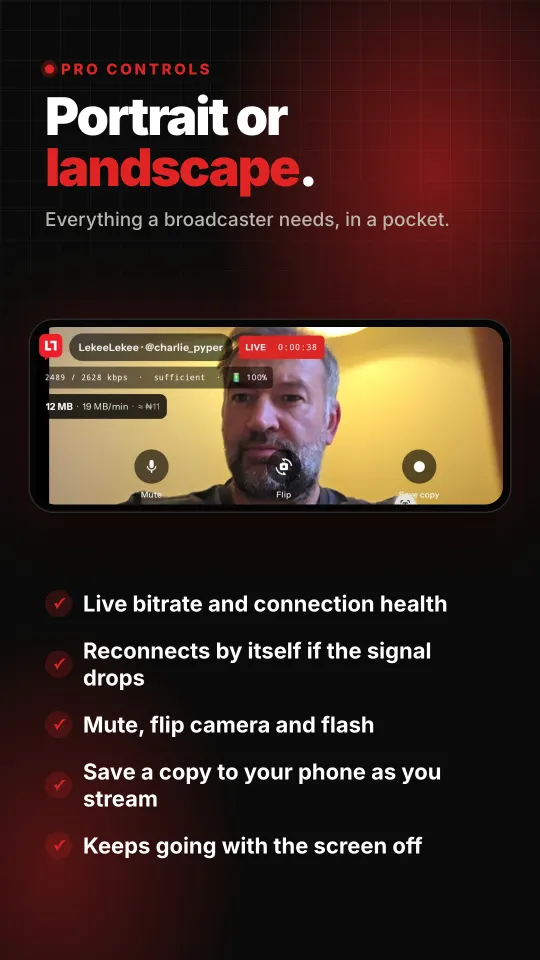
Add a title if you want one. You are live in seconds, with your bitrate, connection health and data used on screen the whole time.
If it is happening, stream it.
Church and worship
Services, vigils and choir practice, to your congregation on LekeeLekee and YouTube at the same time.
Music and events
Shows, owambe parties, weddings and launches, for everyone who could not be in the room.
News on the ground
Report from the street as it happens. The app reconnects by itself if the signal drops for a moment.
Selling live
Show the goods, answer questions and take orders while your customers watch.
Classes and talks
Teach, preach or present to a live audience, and keep the replay for anyone who missed it.
Sport
Grassroots football, five-a-side and school games, from the touchline in landscape.
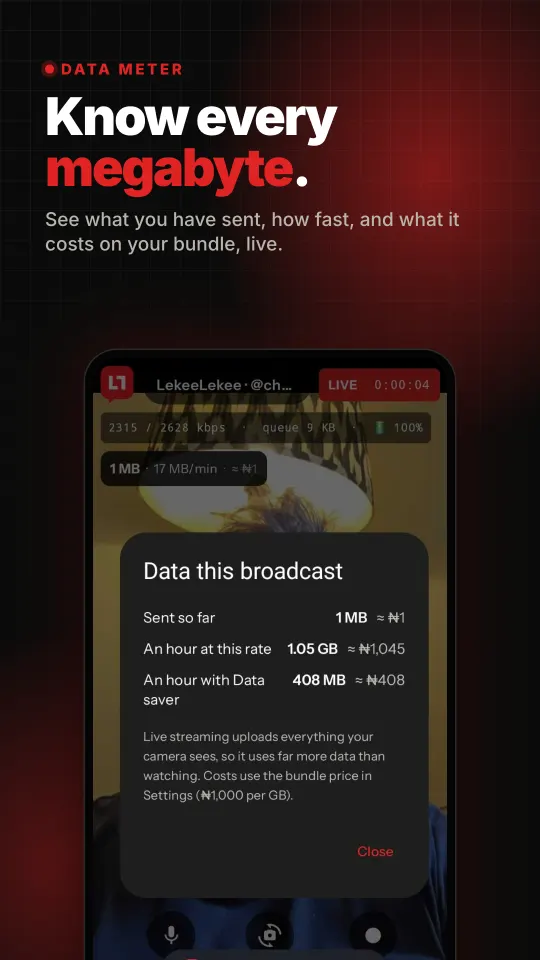
Know every megabyte.
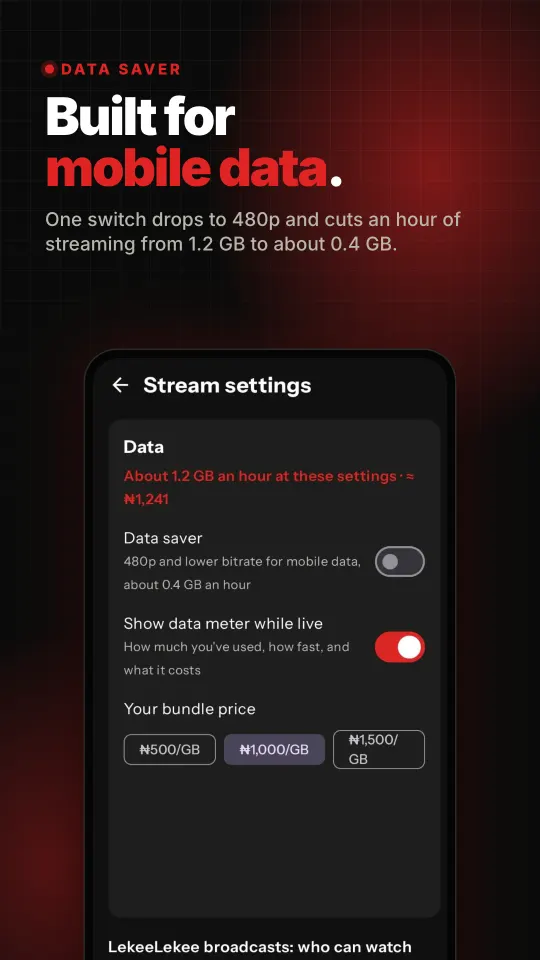
Live streaming sends everything your camera sees, so it uses far more data than watching. LekeeLekee Stream shows you exactly how much, and what it is costing you, while you are live.
- Data meter on screen: sent so far, per minute, and the cost on your bundle.
- Data saver drops to 480p with one switch for mobile data.
- Your bundle price is used for the cost, in your own currency, so the figure is your figure.
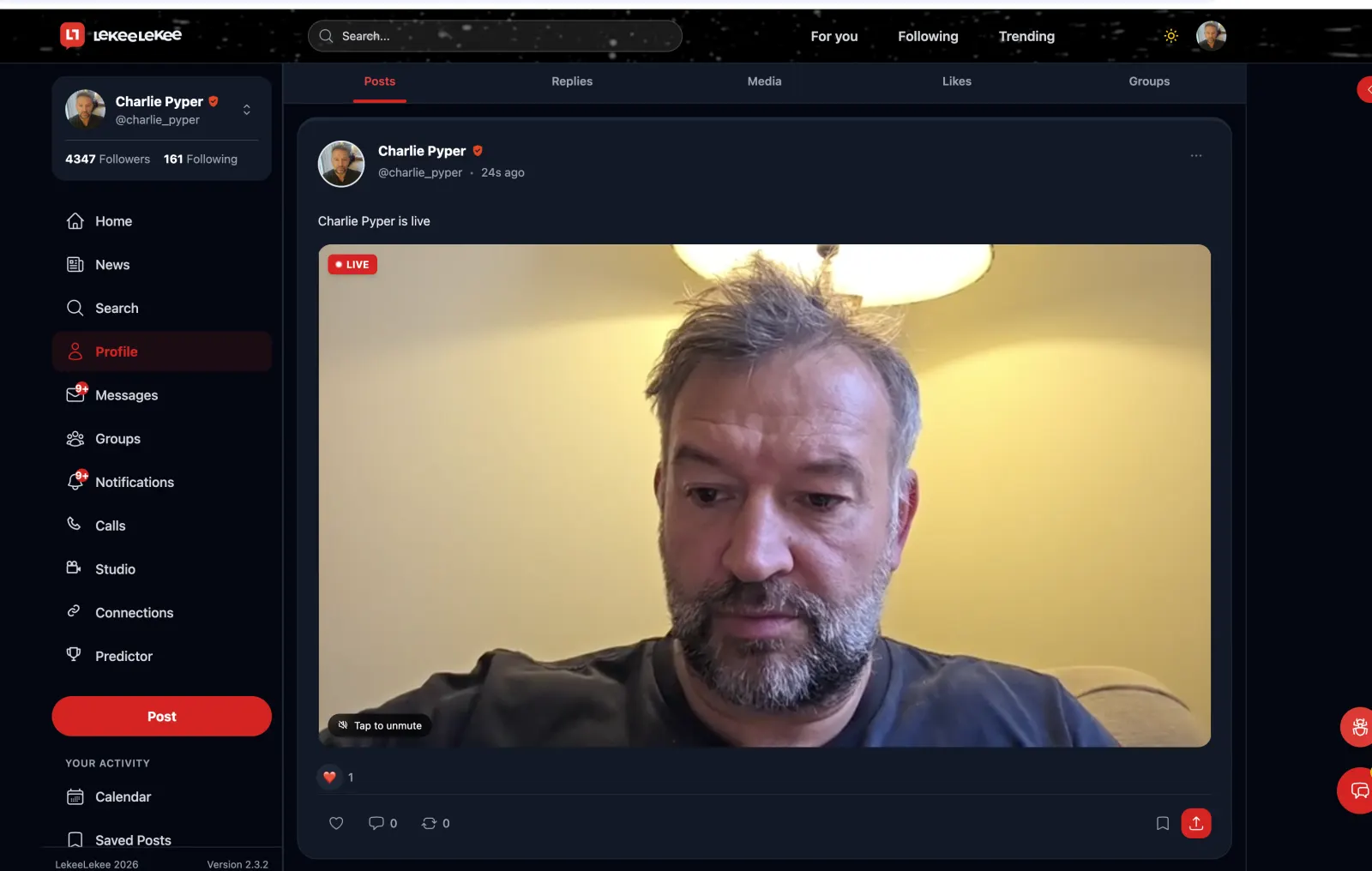
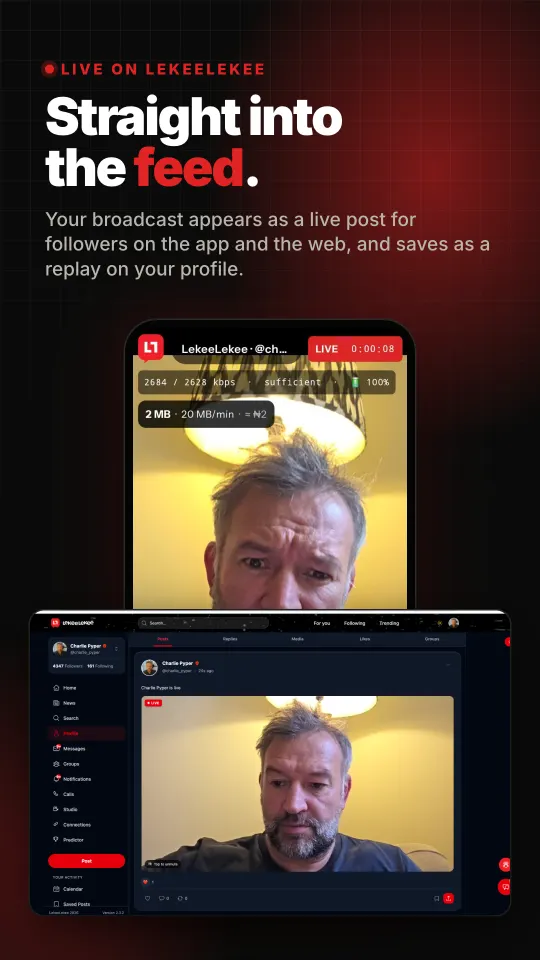
Straight into the feed.
Your followers see you live on the LekeeLekee app and on the web the moment you connect. Choose who can watch: everyone, followers only, or only people with the link. Keep a replay on your profile afterwards, or let it disappear when you finish.
- Reconnects by itself if the signal drops for a moment. Your viewers stay put.
- Keeps streaming with the screen off or while you switch app.
- Save a copy to your phone while you stream.
Everything a broadcaster needs, in your pocket.
Where to find your stream key.
In the app, tap the destination at the top, then Add or edit servers, then Add a server. Give it a name, paste the server address, paste the key, save. That is it.
- YouTubeYouTube Studio, Create, Go live, then Stream. Copy the Stream URL and the Stream key.
rtmp://a.rtmp.youtube.com/live2 - FacebookLive Producer, choose Streaming software, then copy the Server URL and the Stream key.
rtmps://live-api-s.facebook.com:443/rtmp/ - TwitchCreator Dashboard, Settings, Stream. Copy your Primary Stream key.
rtmp://live.twitch.tv/app
Always use the address your platform shows you if it differs from the examples above. Your stream key is like a password: anyone who has it can stream to your channel. YouTube, Facebook and Twitch are trademarks of their owners. LekeeLekee Stream is not made by or affiliated with them.
Good to know.
Is it free?
Yes. No subscription and no watermark. The only cost is the data you use, and the app shows you that as you go.
Do I need a LekeeLekee account?
Only to go live on LekeeLekee. To stream to YouTube, Facebook, Twitch or your own server, tap "Not now: stream to my own server" on the sign in screen and add your server.
The app says live streaming is not on for my account.
Going live on LekeeLekee is being switched on for members in stages. If it is not on for you yet, you can still stream everywhere else with the app today, and it will work on LekeeLekee as soon as your account has it.
How much data will I use?
About 1.2 GB an hour at the standard 720p setting, and about 0.4 GB an hour with Data saver on. Audio only uses far less. On Wi-Fi it does not matter. See how LekeeLekee keeps the main app light on our low data page.
What happens if my signal drops?
The app keeps trying to reconnect for about a minute. If you come back in that time, your LekeeLekee broadcast carries on and your viewers stay where they are.
Can I stream my screen?
Yes, on Android: the whole screen or a single app, with your camera in a corner if you want it.
Is there an iPhone version?
Not yet. LekeeLekee Stream is on Android first, and an iPhone version is on its way.
Your phone is the studio.
LekeeLekee Stream is on its way to Google Play. This page will carry the link the day it is there.
LekeeLekee Technologies Ltd · Registered in Nigeria · Company Registration No. 8622032
Google Play and the Google Play logo are trademarks of Google LLC.