
We hated the tools we had. So we built our own.
LekeeLekee is run by a diverse team of experts and engineers across the world, and we run it on LekeeLekee. These are the tools we work in every day. We are getting them ready for your team.
What your team will be able to use.
Not launched for teams yet. This is what we run LekeeLekee on ourselves, and what we are preparing to open up.
Meetings
Video meetings from a link, instant or scheduled, with guests who wait in a lobby until you let them in.
Calls
Free voice and video calls between LekeeLekee accounts, one to one or as a group.
Messaging
Private and group messages, with files, voice notes and replies.
Groups
A space for each team or project, with its own posts, members and conversations.
Calls to any phone
Ring a landline or mobile from the app when the other person is not on LekeeLekee. Charged by the minute.
Desktop, web and phone
A desktop app for the working day, the website anywhere, and the apps for Android and iPhone.
One screen for the working day.
The home screen of the desktop app our team opens every morning. The meeting names and people in this picture have been changed.
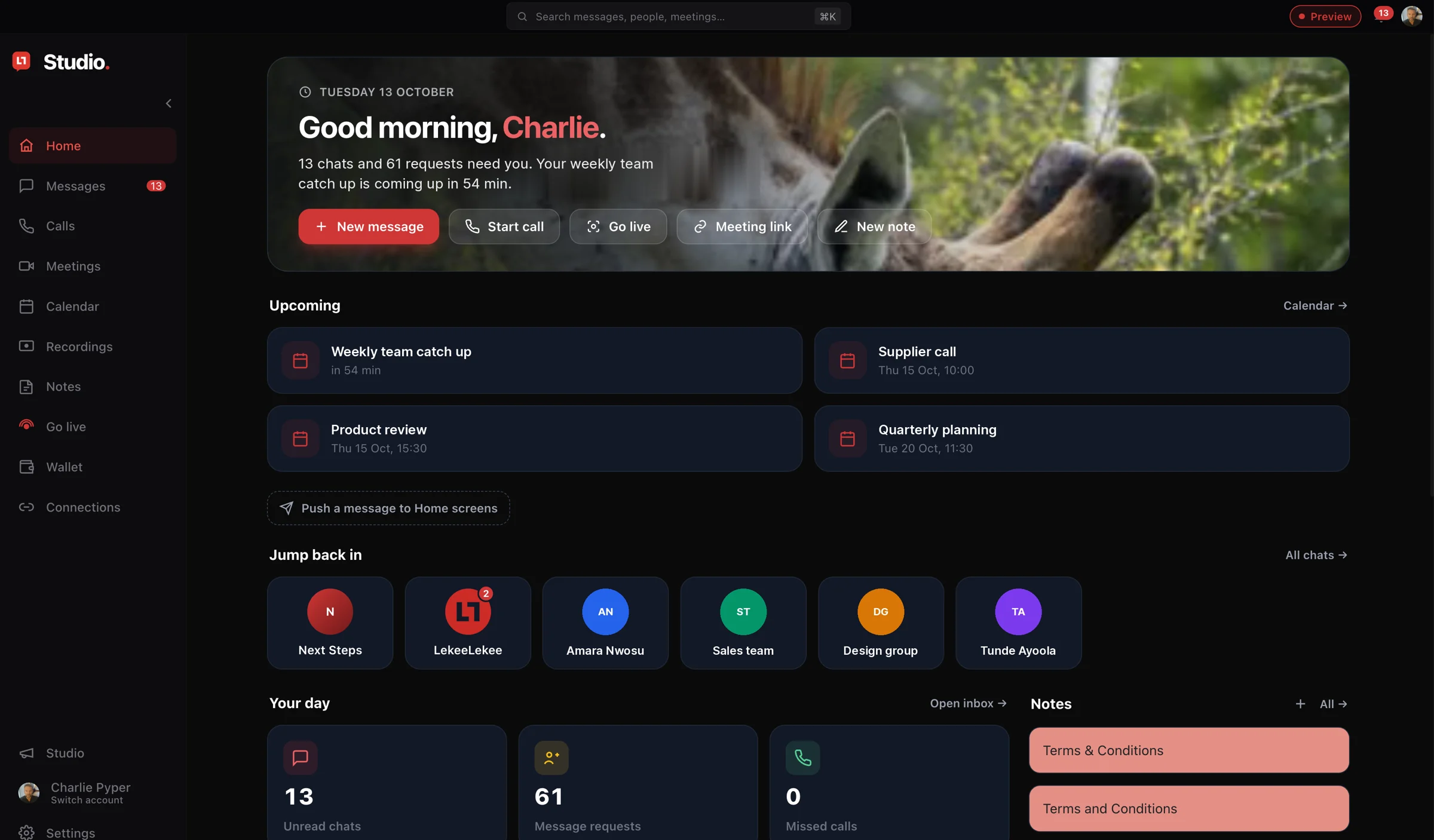
What needs you, and what is next.
Unread chats, message requests and missed calls, the meetings coming up, and the conversations you were last in. Start a message, a call, a meeting or a live broadcast from the same screen.
In use by our teamThe tool we plan and publish with.
Studio is where our own content is planned, made and sent out. These are taken from the version our team uses.
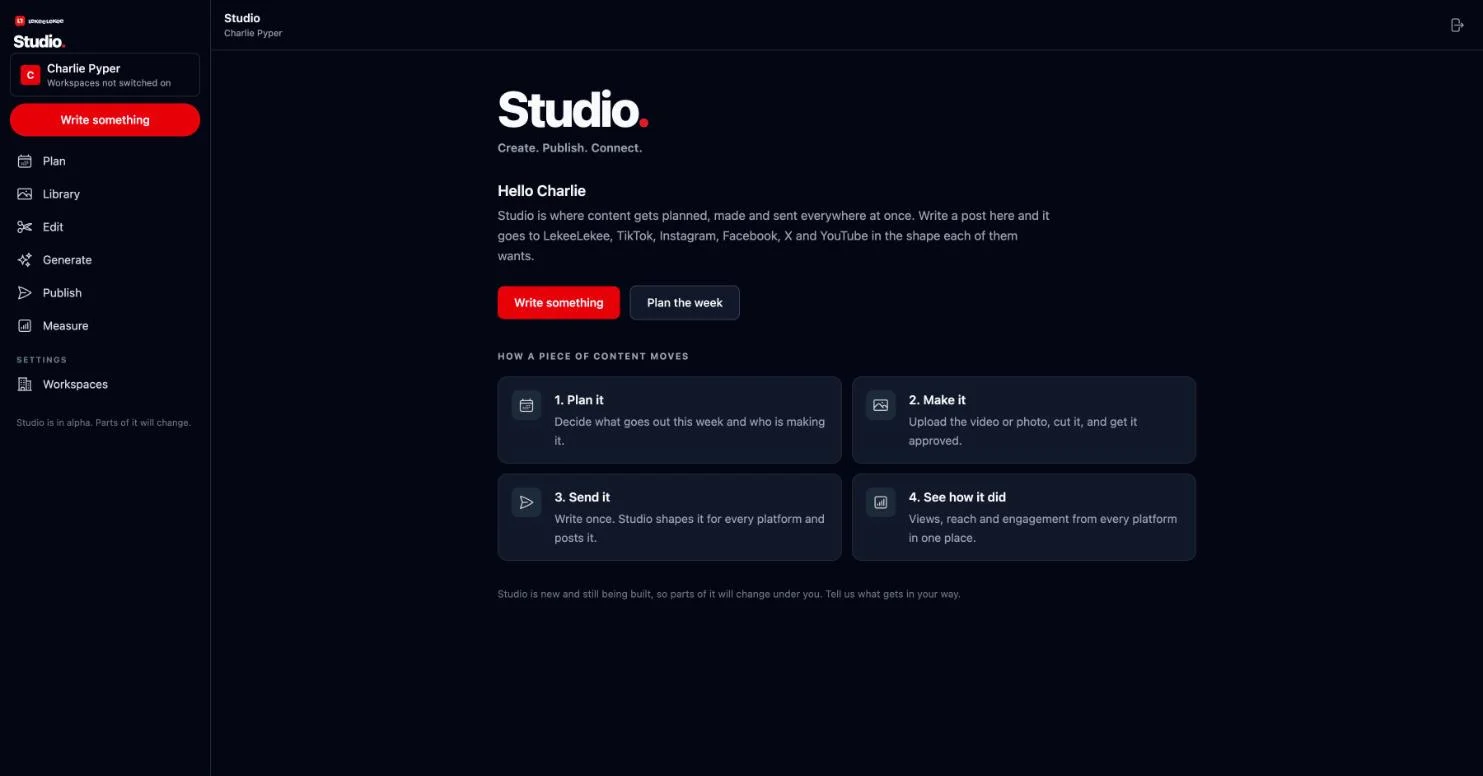
Plan it, make it, send it, see how it did.
One place for the week: what goes out, who is making it, and how each piece performed afterwards.
In use by our team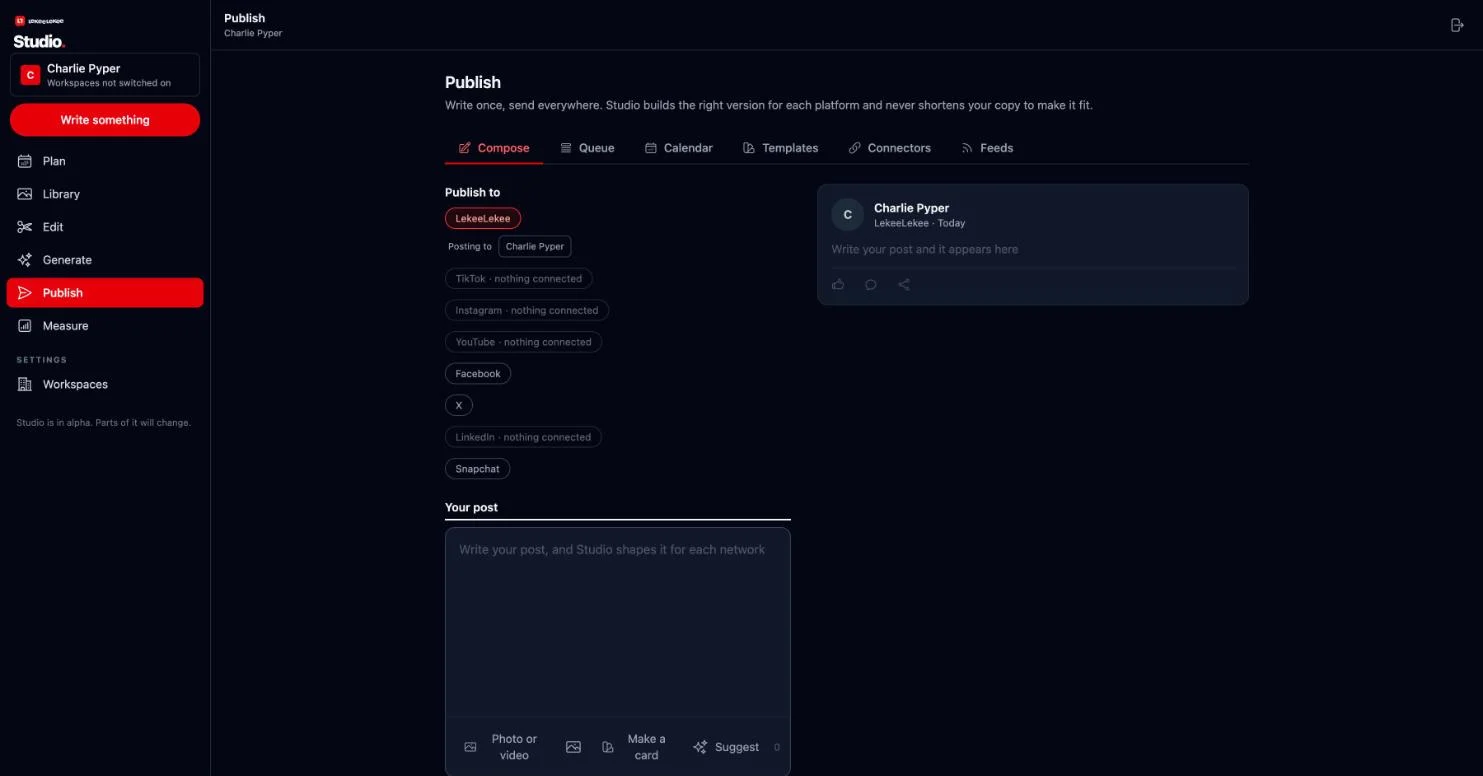
Write once. Send everywhere.
Write a post and Studio shapes it for LekeeLekee, TikTok, Instagram, YouTube, Facebook, X, LinkedIn and Snapchat, with a preview of each.
In use by our teamAlso in use by our team. Also coming.
These open to members once we are sure they are good enough to charge for.
-
StudioPlan, make and publish content for every platform from one place, as a team. In use by our team
-
CRMA simple sales pipeline: enquiries, stages, owners, notes and follow-up dates. Your message from this site lands in ours. In use by our team
- What do you need?Tell us the tool your business is missing. We decide what to build next by listening. Tell us
Want it for your team?
Tell us how many people and what you use today. Tick the box and we will email you when it launches.
- We will tell you if LekeeLekee is not right for you.
- We reply to the email address you give.
- Your details are used to answer you, and for updates only if you ask.